
I realized recently that Spamhaus.org had discontinued its use of the spam protection parameters set within HMailServer based upon “DNS” errors I started seeing in my log files. It made no sense. So I went to their site and did some investigating and found they have consolidated the three spam databases into one, called “zen.spamhaus.org”.
So within your HMailServer admin console, go in and delete the current spamhaus.org configurations you have in place (should only be two). Then add a new “DNS Blacklist” with the following parameters: for the “DNS host” enter “zen.spamhaus.org”; for the “Expected result,” enter “127.0.0.*”; and then for the “Rejection Message” enter “Rejected by Spamhaus”. It appears to have cut down spam even more since I have set this. About 5-10 messages a day were getting through before and now none are (so far at least).
 Apparently this is a relatively new function, but Google has now made it possible to add a customized search to your web site (though some form of this has been around for a while). The major difference now is that you can actually show the result on your own web site versus going off to another site (like Google). In addition, you have the ability to do custom color layouts, show relevant content first, amongst several other configuration options. So now, as you can see above, I have added a Google search bar that will bring results up from my blog. I have also added this functionality to my other site,
 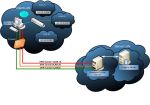 Man this is cool. I finally spent the time learning how to set this up, and it was quite some work, but appears to be well worth it. I have a PPTP VPN already setup, but I wanted to set something else up because the Microsoft encryption algorithm just isn’t that secure (when compared with the top level AES-256 encryption). OpenVPN is awesome, because for one, it’s free. And two, it is unbelievably secure (when set up properly). The one downside is its lack of user-friendliness. I had to read a lot of the manual to get various functions to finally work. Also, everything, both on the server and client sides, is text file based. I can handle that, but many people cannot and I can understand that. But before you even start with this, you need a good networking foundation of how VPN networking works because many of the concepts will be alien to you if you don’t. So for those who just want a quick and easy VPN to connect into their home network, just stick with Microsoft’s PPTP VPN. But for those who really want tight security between their network and a remote location and who don’t have any money :), this is the solution for you. Be ready to do some reading and banging your head against your keyboard at times though. It took me a couple of days to finally get it working. Keyword is patience …
 Well, I ordered Courtney, my wife, a laptop from Dell on December 7th and it’s still not here. Not only that, the arrival date has been changed, once again, to January 8th. One month! That’s a long time for an order to come through. And considering the fact that I can get a comparable laptop for $150 less than this Dell laptop at Best Buy just down the street (and get it right now, as opposed to one month later), Dell is showing to me at least how much their service has gone down hill over the years. They apparently did not logistically plan for the number of orders they received this Christmas season and now they are paying for it. I logged in to the Dell support chat to see if they could give me an extra GB of memory for having to wait and they refused. When I asked why, he just told me they couldn’t without any real reason. But when I called into support, they told me the laptop was almost finished being assembled and was close to being shipped so that’s why they couldn’t add anything to the order. So that made a little more sense. Oh well, I mean it’s not a huge deal … but if someone can get a cheaper laptop with almost the exact same specs right now, why would they want to order a Dell at all? I’m thinking this may be the last time I order a Dell. Tell that to Dell’s CEO.